One photo, one clear direction
The baby wow guy dancing effect starts with a single source photo, so the model can keep its attention on one face and one performance.
Turn one photo into the joyful dance clip everyone wants to share. ReelTada keeps the meme dance effect fast, clear, and ready for your next post.
Upload a photo
One person, face visible, JPG / PNG / WebPGenerate the dance
One video · 10 creditsReelTada uses your photo only to create this requested video and removes the temporary input after the task completes.
See the simple input and the energetic result side by side. The effect is designed to feel immediate: upload, generate, share.
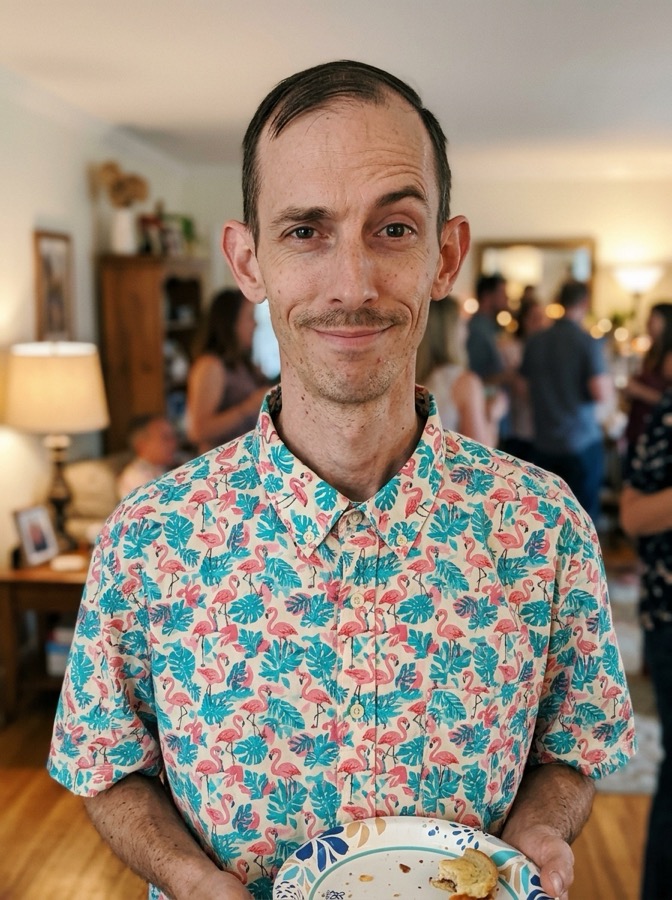
Use a clear portrait with one visible subject.
Get a polished vertical clip made for social sharing.
Bby Wow Guy AI Dancing is a lighthearted image-to-video format built around a recognizable dance moment. Instead of asking you to write a long prompt, the template gives your photo a clear action direction: a joyful, confident performance with expressive arms, rhythmic steps, and a camera-ready finish.
The result sits close to the familiar baby wow meme energy without adding another person to your scene. You choose the face and the mood; ReelTada handles motion, framing, and the vertical composition. That makes the template useful for creators testing a hook, friends making a playful reaction, or brands turning a portrait into a memorable social beat.
Searches such as baby wow guy dancing, wow baby boy, and baby man dancing often describe the same broad visual curiosity. The important detail is that your uploaded image remains the source subject. Bby Wow Guy AI Dancing is a named template direction, not a claim that the person in your photo is a real dancer or a real baby.
ReelTada gives you a focused workflow for one job, with the controls and guardrails that make the first result easier to use.
The baby wow guy dancing effect starts with a single source photo, so the model can keep its attention on one face and one performance.
Every Bby Wow Guy AI Dancing result is composed as a vertical social clip, with a short runtime that gets to the movement quickly.
See the cost before you generate. Your photo is temporary, and a failed render returns the 10 credits used for that attempt.
Start with a photo you already like and let the template take care of the movement.
Choose a front-facing portrait with one person, even light, and enough room around the subject.
ReelTada sends the prepared Bby Wow Guy AI Dancing direction to Seedance mini after your balance is checked.
Preview your baby wow guy dancing video, download the vertical MP4, and post it wherever your audience watches.
The template can handle a wide range of portraits, but a few choices make the movement cleaner and more expressive.
The strongest short videos usually have a small reason to exist. Try a birthday portrait, a funny profile picture, a team introduction, or a before-and-after post. A simple setup gives the movement room to be the punchline. You can also use a favorite travel photo or a creator headshot when you want a quick opener for a longer edit.
The trend can be playful without making a claim about the person in the image. If your search started with a wow baby boy clip, a baby wow meme, or a question about a guy dancing in wow music video, treat those as references for the energy and framing. Use an image you have permission to animate, and keep the surrounding caption clear about the AI effect.
ReelTada keeps each stage visible so you know what is happening with your image, credits, and finished file.
Your photo is sent only after your session and balance are checked. The temporary provider input is removed when the task completes, fails, or is canceled, with a 24-hour storage rule as a safety net.
While the video is rendering, the workspace stays on the same page and checks the task status. A provider error is shown in a toast instead of leaving you with an unexplained blank result.
When the result is ready, you can preview the MP4 in place and download the vertical file. The output is framed for short-form feeds so you can add your own caption, sound, or cover in the app where you publish.
A short dance works best when the surrounding post gives viewers a reason to watch twice.
Put the portrait on screen for a beat, then cut into the movement. Ask viewers to guess what happens next and use the dance as the reveal.
Pair the clip with one sentence about your channel, product, or project. The motion supplies the hook while your caption supplies the context.
End on a pose that visually echoes the first frame. A clean loop can make a baby wow guy dancing video feel more natural in a fast-scrolling feed.
Upload one clear portrait to ReelTada, select Generate, and wait for the render to finish. ReelTada turns the photo into an approximately eight-second, 9:16 dance video that you can preview and download.
Yes. You only need one portrait of yourself or another adult who has given you permission to use their photo. No source video, motion capture, or written prompt is required.
You can open the template and watch the example for free. Creating your own video uses 10 credits, and one-time credit packs start at $9.90. If a generation fails, the consumed credits are returned automatically.
ReelTada makes the Bby Wow Guy AI video in your web browser. There is no separate app to install, no timeline to edit, and no prompt to write.
Upload a clear, front-facing portrait and ReelTada uses it as the visual reference for the dancing character. Use only your own image or a photo you have permission to animate.
Choose a sharp photo with one person, a fully visible face, even lighting, and some space around the head and shoulders. Avoid group photos, heavy sunglasses, extreme blur, and faces covered by hands.
The name commonly refers to Eve Ramírez, the man seen dancing in a widely shared quinceañera clip filmed in Múzquiz, Coahuila, Mexico. ReelTada is an independent creation tool and is not affiliated with him or the original creators.
Eve Ramírez shared a version titled “El video original” on TikTok under @eve.el.cholo. Because social posts can move or be reposted, check the account name and caption when looking for the source clip.
Yes. The vertical 9:16 result is sized for TikTok, Instagram Reels, and YouTube Shorts. You can download the finished MP4 without a ReelTada watermark and add your own caption or audio before posting.
No. “Bby Wow” is the name of the meme-style visual direction. The template animates the person in your uploaded photo; it does not add an infant, another person, or a real-world dance partner.
Make a Bby Wow Guy AI Dancing video in ReelTada and turn a familiar face into your next shareable moment.